Tiny LLM
Original post by Ordinary_Tension5730
Hello,\
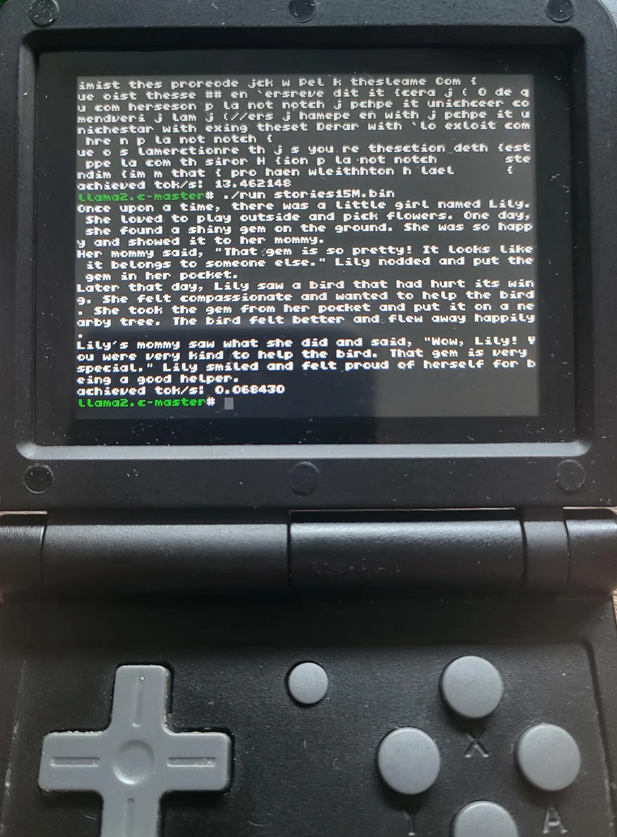
Today, I managed to get the llama2.c project running on my powkiddy v90 with the miyoo cfw. If anyone wants to give it a go, let's go.
First of all, I wanted to thank Apaczer from the git MiyooCFW for providing me with some useful links. To start with, you need to be on a Linux distribution, personally, I'm on a debian bookworm. Then you need to download the external toolchain or compile it.
For beginners I advise you to use the following link: https://github.com/MiyooCFW/toolchain/releases
And download the already compiled tar.gz and decompress it in the /opt/miyoo folder with a tar -xvf
Once the toolchain has been extracted, you need to download the git llama2.c using the following command in the /opt folder:
./arm-buildroot-linux-musleabi-gcc -Ofast -march=armv5te -o /opt/run /opt/llama2.c/run.c -lm -funroll-all-loops
In order to find the gcc for arm you have to search in the toolchain in the bin folder (/opt/miyoo/arm-buildroot-linux-musleabi_sdk-buildroot/bin).\ If you get this error:
You need to add this line to the run.c file in llama2.c folder
You should now have a file called run in the /opt folder.
All that's left to do is add it to the rest of the llama2.c folder and add the whole llama2.c folder to your console.
Personally, I put it in the script folder I created for the occasion.
Final step to do is download one of the test models found on this page in the models section:
https://github.com/karpathy/llama2.c
Start by testing with the 260K which is mediocre in result but has good performance to see if everything is fine.
You need to add the models to the llama2.c folder in the console and run the script.
Here are some images of the two smallest models.
Sources: - https://github.com/karpathy/llama2.c?tab=readme-ov-file thanks to Andrej Karpathy for that - https://github.com/MiyooCFW thanks to Apaczer and all contributors - https://www.reddit.com/r/LocalLLaMA/comments/1cpy0w0/tinystories_llm_in_cheap_lowmem_4_computer_from for the idea